|
|
|

|
|
|
Leaving sound and pictures for our families:
|
Most of us have abundant family photos, but wouldn't we love to hear the voices of those who've passed on? Consider creating a video or slideshow with family narration on YouTube, where it won't belong to just one person and will always be available. You can make it public, or private, sharing the link with family only. Here are some ideas:
|
|
|
|
* Record short episodes where you or others tell stories from your family history.
* Example: “Grandpa’s Tales of the 1940s” or “Mom’s Recipes and the Memories Behind Them.”
|
|
|
|
|
* Scan old photos, letters, or keepsakes. Create slideshow-style videos with your voice narrating the story behind each item.
|
|
|
Skill/Hobby Demonstrations
|
|
* Record yourself (or relatives) demonstrating hobbies: quilting, woodworking, gardening, cooking, music, etc.
* Each video could include a bit of history: “This is how my grandmother taught me…”
|
|
|
|
|
* Break your family history into eras (e.g., “Immigrant Years,” “The War Years,” “Growing Up in the 60s”). Each episode covers one period.
|
|
|
|
|
* Sit down with relatives for snacks and conversations (and recordings).
|
|
Use free apps to create your video and sound
|
You may record video and sound on your phone, but if you're creating a slideshow type video, you'll find a variety of apps to create sound files. A popular format is .mp3.
|
|
Recently I made a video about the Mountain Women Series, based on a PowerPoint presentation from several years ago. I used text and images from the slideshow and narrated the sound in GarageBand, a free app on my Mac. Then I exported it as a mp3 file.
|
|
|
Next, I imported the images I wanted to use into iMovie (another free app on the Mac), and added the mp3 file. I don't have a noise-free space for recording, so I recorded my narration in the middle of the night. My voice sounded like I was half asleep, but there was minimal noise interference. The video is now on YouTube and there's a link to it below.
|
|
|
|
|
If you are new to any of these processes, you'll find lots of online help. No doubt you can also pay someone to put the pieces together for you, and get a very professional product.
|
|
I hope some of these ideas will stimulate you to create a heritage for your family!
|
|
|
|
|
|
The YouTube recording about my inspiration for writing:
|
|
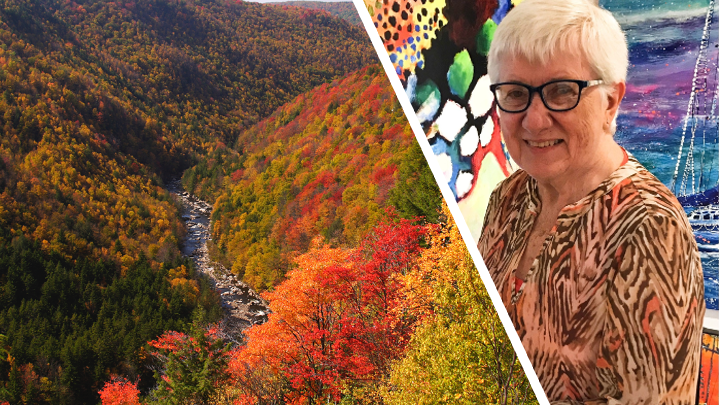
I hate the sound of my scratchy old voice, but this project was a lot of fun. Check it out:
|
|
|
|
|
|
https://storyoriginapp.com/swaps/ffbf539a-78a1-11f0-ab2f-87681f445c0a
|
|
https://storyoriginapp.com/swaps/ffbf539a-78a1-11f0-ab2f-87681f445c0a
|
|
https://storyoriginapp.com/swaps/ffbf539a-78a1-11f0-ab2f-87681f445c0a
|
|

|
|
About this book: "A cruel act by strangers during the Great Depression puts the Cruthers family on a perilous path, threatening to destroy each member."
|
|
|
https://storyoriginapp.com/reviewcopies/de7fac1e-3d48-11f0-b77a-db79465eb7ec
|
|
https://storyoriginapp.com/reviewcopies/de7fac1e-3d48-11f0-b77a-db79465eb7ec
|
|
|
|
|
|

|
|
|
|
Thanks for reading, and thanks for your ratings and reviews!
|
|
|
|
|
You received this email because you signed up to one of my newsletters.
|
|
|
|
|
|
|
|
|
|